In the rapidly evolving world of artificial intelligence, creative tools have become more accessible, powerful, and transformative than ever before. Among the growing ecosystem of AI art platforms, OpenArt has emerged as a notable player, offering a blend of image generation, prompt exploration, and community-driven inspiration. This review takes an in-depth look at OpenArt—its features, strengths, limitations, and overall value for artists, designers, and curious beginners alike.
What is OpenArt?
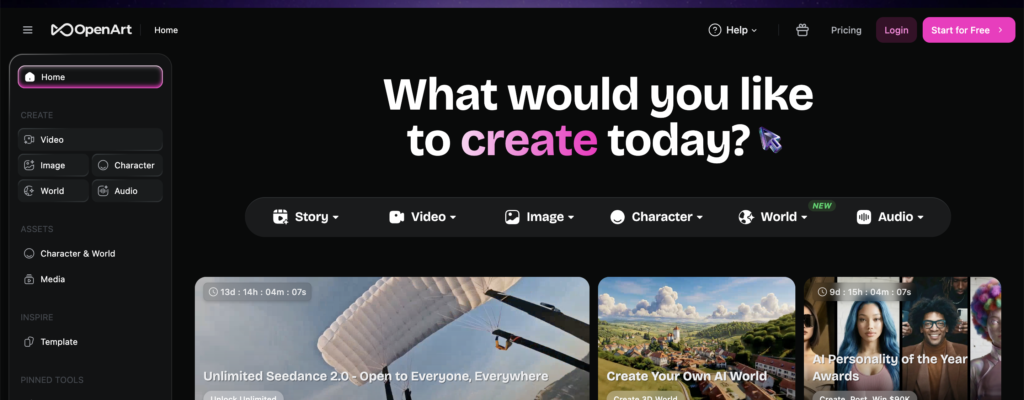
OpenArt is an AI-powered platform designed to generate digital artwork using text prompts. Built on top of advanced generative models such as Stable Diffusion, it allows users to create images simply by describing what they want to see. Beyond generation, OpenArt also serves as a discovery hub where users can browse thousands of AI-generated artworks, learn from prompts, and remix existing creations.
What sets OpenArt apart from many other AI art tools is its strong emphasis on community and prompt sharing. Instead of operating as a purely functional tool, it blends creativity with social interaction, making it both a generator and a gallery.
Key Features
1. AI Image Generation
At its core, OpenArt excels in generating images from text prompts. Users can type anything from “a futuristic cyberpunk city at sunset” to “a watercolor painting of a peaceful mountain village,” and the system produces multiple variations based on the description.
The platform supports a range of styles, including:
- Photorealism
- Anime and illustration
- Abstract and surreal art
- Fantasy and sci-fi themes
The results are often impressive, especially when prompts are well-crafted. Users can also tweak parameters such as image resolution, style intensity, and model selection for more refined outputs.
2. Prompt Library and Exploration
One of OpenArt’s most valuable features is its extensive prompt library. Users can browse artworks created by others and see exactly what prompts were used to generate them. This transparency is incredibly useful for learning how to write effective prompts.
For beginners, this eliminates the steep learning curve often associated with AI art tools. Instead of guessing what works, users can study real examples and adapt them to their needs.
3. Remix and Customization
OpenArt allows users to remix existing artworks. This means you can take an image you like, modify its prompt, adjust styles, or combine it with new ideas to create something unique.
This feature encourages experimentation and iterative creativity. Rather than starting from scratch every time, users can build upon existing ideas, which is especially helpful for those still developing their artistic direction.
4. Model Variety
The platform supports multiple AI models, particularly those based on Stable Diffusion. Some models are better suited for realism, while others excel in stylized or anime outputs.
Advanced users can switch between models to achieve different visual results. This flexibility gives OpenArt an edge over simpler tools that rely on a single model.
5. Community and Social Features
OpenArt is not just a tool—it’s a community. Users can:
- Share their creations
- Follow other artists
- Like and save artworks
- Discover trending styles and prompts
This social layer makes the experience more engaging and collaborative. It also helps users stay inspired and keep up with evolving trends in AI art.
User Experience
OpenArt’s interface is clean, intuitive, and beginner-friendly. The prompt input area is straightforward, and the generation process is quick and responsive.
Navigation is smooth, with clearly defined sections for:
- Creating images
- Exploring artworks
- Viewing saved or liked content
Even first-time users can start generating images within minutes, thanks to the platform’s guided approach and accessible design.
Strengths of OpenArt
1. Accessibility
OpenArt lowers the barrier to entry for digital art creation. You don’t need drawing skills, design experience, or technical expertise to produce visually compelling images.
This democratization of creativity is one of its biggest strengths.
2. Learning Through Transparency
The ability to see and reuse prompts is a game-changer. It transforms OpenArt into an educational tool, helping users understand how AI interprets language and visuals.
3. Versatility
Whether you’re creating concept art, social media graphics, illustrations, or just experimenting, OpenArt adapts well to different use cases.
4. Inspiration Engine
The explore section is a constant source of inspiration. Browsing other users’ work can spark new ideas and push creative boundaries.
5. Frequent Updates
OpenArt continues to evolve, with new features, models, and improvements being added regularly. This keeps the platform competitive and relevant.